How to make an AI short film on your phone for free
By AI-0 editorial team
On this page
To make an AI short film, write a one-page script with a want, a turn and an end, split it into 10 to 15 shots, and make one reference image of your main character. Generate each shot with a video model that uses that image, test one shot before the rest, then cut the clips together in a free editor. In AI-0 you can do it all on a phone.
Most AI shorts that go nowhere fail in the same two ways. They're a string of good-looking shots where nothing happens, and the hero has a slightly different face in every one. You fix both before you generate anything: the first with a script that has a turn, the second with a reference image you reuse in every shot.
What makes a good AI short film?
If you came to watch rather than make, the AI shorts worth your time share a few things:
- One character we follow, who wants one clear thing.
- Something goes wrong in the middle, and the end is different from the start.
- Real sound, which carries more of the feeling than the pictures.
- Short shots, cut on movement, which hides the moments where AI video wobbles.
- Few close-ups of hands and no readable signs, because that's where AI still slips.
The rest of this guide is how to make one, 60 to 90 seconds long, on a phone with AI-0 and a free editor.
Is it really free?
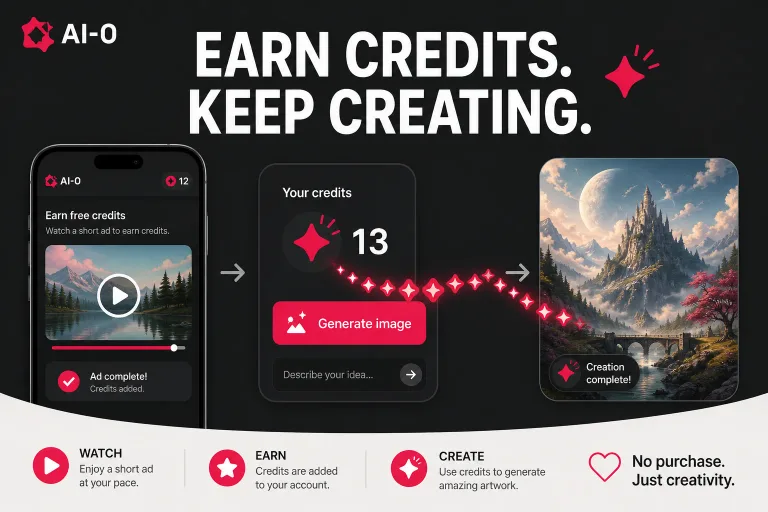
AI-0 is free, with credits from optional ads. New accounts start with 15 credits, and each ad adds 5, up to 10 ads every 10 minutes. Video costs far more credits than images, and longer or higher-resolution clips cost more again. A film is a lot of clips, so expect to earn credits across several sessions. The free credits guide explains how.
Step 1: Write a one-page script with a want, a turn and an end
The want is what your character is trying to do, and we have to be able to see it. The turn is the moment it goes wrong or changes. The end is what's different now. One location and two characters at most make every later step easier.
Here's our example:
Theo's Kite. A sunny beach, morning. Theo, 70s, white beard, faded blue windbreaker, carries an old red kite onto the empty sand. He gets it into the air and smiles up at it. The string snaps. The kite tumbles away down the beach and Theo chases it, then stops, out of breath. Far down the beach, a teenage girl in a yellow raincoat catches it and runs it back. GIRL: "Is this yours?" THEO: "It was my wife's." She ties the string. They fly it together.
The want is the kite in the air, the turn is the snapped string, and the end is a stranger helping him finish what he came to do. There are only two lines of dialogue, because speech is one of the hardest things to generate well.
Step 2: Turn the script into a shot list
Break the script into shots of 5 to 10 seconds, each with one action. Write the camera into every line: shot size, lens, rig and move, speed, and how the shot ends. That's the rule we use for every clip prompt in AI-0's own videos.
| # | Shot | Action | Length | Model |
|---|---|---|---|---|
| 1 | Extreme wide, drone, slow forward | Theo walks onto the empty beach | 10 s | Grok Imagine |
| 2 | Medium, handheld, running alongside | He runs and the kite lifts | 8 s | Wan 3.0 Prime |
| 3 | Wide, static | The red kite climbs against blue sky | 5 s | Runway Gen-4 Turbo |
| 4 | Close-up, 85mm, slow push-in | Theo smiles up at it | 5 s | Wan 3.0 Prime |
| 5 | Extreme close-up, 100mm | The string snaps | 5 s | MiniMax H3 MAX |
| 6 | Wide, tracking | The kite tumbles away, Theo chases, then stops | 10 s | Wan 3.0 Prime |
| 7 | Medium, static | He stands breathing hard, empty hands | 5 s | Runway Gen-4 Turbo |
| 8 | Wide, 50mm | The girl catches the kite far down the beach | 5 s | Wan 3.0 Prime |
| 9 | Two-shot, 50mm, static | She hands it back: the two lines | 10 s | MiniMax H3 MAX |
| 10 | Wide, drone pulling back | They fly it together | 10 s | Grok Imagine |
| 11 | Title card | "Theo's Kite" | 3 s | Your editor |
That's about 76 seconds. The snapped string, the most important moment, is framed on string and sky with no hands in shot.
Step 3: Keep your character consistent with a reference image
Describe Theo in words in eleven prompts and you'll get eleven slightly different old men. A reference image fixes that.
- In AI-0, tap Image and pick a photoreal model. GPT Image 2.5 Flare, Seedream 5.5 and FLUX 3 Klein all take reference images.
- Generate a front-facing portrait. Start with "Photorealistic real photograph", describe the skin as visible details such as pores and fine lines, name a camera and lens, give him three or four specific features, and end with "not the average AI face, no text, no logos".
- Generate a full-length image of him in the film's costume, with the portrait as a reference.
- Do the same for the girl, and make one empty shot of the location.
Dress the reference in the film's costume, because whatever it wears can leak into the shots: in one of our tests, the T-shirt and earrings from a face photo replaced the outfit we'd asked for in the last half second of a clip. Match the light too: soft daylight for a sunny beach. Our AI influencer guide goes deeper on this.
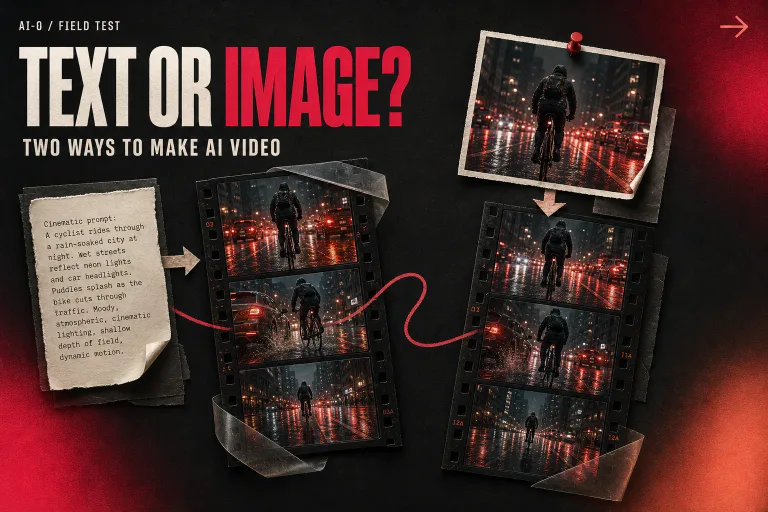
For each shot, either give the video model the references directly or make the first frame as a still and animate it, which gives more control. The text-to-video vs image-to-video guide explains the trade-off.
Step 4: Pick a video model for each shot
These are the four we'd build a short around in AI-0. Options are at the time of writing; the app shows the current ones.
| Model | Length | Sound | References | Use it for |
|---|---|---|---|---|
| MiniMax H3 MAX | 5 to 15 s, 768p or 2K | Native stereo sound | Up to 10 images and 5 audio clips | Dialogue, and moments where sound sells it |
| Wan 3.0 Prime | 4 to 17 s, up to 1080p | Add in the edit if missing | Up to 10 images, 5 videos and 5 audio clips | Action, and movement copied from a reference video |
| Runway Gen-4 Turbo | 5 s, 720p | Add in the edit | One image, required | Short, simple beats animated from a still |
| Grok Imagine | 6 or 10 s | Added automatically | Up to 4 images | Animating a still, with sound added for you |
Our picks: MiniMax H3 MAX for lines or a sound that matters, like a string going twang, Wan 3.0 Prime for movement, and Runway Gen-4 Turbo or Grok Imagine when you already have the frame you want.
For continuity, use the last frame of one clip as the reference image for the next. Save the final frame as a still (a screenshot works) and add it to the next shot with the character portrait, so the new shot picks up where the last one ended.
Step 5: Test one shot before the rest
We test one clip before running a batch, because a bad batch wastes credits. Pick your hardest shot, usually the dialogue, and run it alone.
- Generate shot 9 once.
- Put each face next to its reference portrait at the same size and compare the nose, eyes and mouth.
- Check the hands, the costume and whether the shot ends where the prompt said.
- Listen to the lines. If the delivery is flat, say how they're spoken, such as "quietly, after a pause".
- Fix the prompt, and only then generate the rest.
AI video also softens expressions, so if Theo should look heartbroken, say how strong the expression is.
Step 6: Cut it together in a free editor
- Download every clip from your AI-0 history.
- Import them into a free editor. On iPhone, iMovie is free from Apple. On Android, any free editor that trims clips and adds an audio track will do, such as Google's YouTube Create where it's offered.
- Lay the clips in order and trim each one's start and end. Clips can run a fraction long: in our Wan 3 face swaps, 5.00-second sources came back at about 5.04 seconds.
- Cut on movement. If Theo starts to turn at the end of one shot, start the next mid-turn.
- Keep the native sound on the MiniMax H3 MAX and Grok Imagine shots, lay ambient sound under the silent ones, and add music, turned down under the lines.
- Type the title card in the editor. Don't ask the video model for text.
- Export at the highest resolution, in the aspect ratio you generated.
How to make an AI movie trailer
Apps that call themselves AI movie trailer generators exist, but the short film method, cut differently, makes a better trailer. A trailer runs 30 to 60 seconds and never shows the ending.
- Open on the world: two or three wide shots with music only.
- Show the want, with one line of dialogue.
- Hit the turn, then speed up the cuts as the music builds.
- Cut to black and the title card.
- End on one short shot after the title, often a joke or a look.
For Theo's Kite, the trailer ends on the girl asking "Is this yours?" Short MiniMax H3 MAX clips with sound suit trailer beats.
What AI video still gets wrong
Hands are still the weak point. Tying a string, passing an object or gripping a handle often goes wrong, so keep hand shots brief or wide and check every finger.
Text is unreliable. Signs, labels and titles come out garbled, so keep them out of frame and add words in the editor.
Long continuity breaks down. Over a dozen shots the kite's colour shifts, the windbreaker changes shade and the sun moves. Reuse the same references, keep the time of day the same in every prompt, and check each clip against the last. That's why 60 to 90 seconds is the realistic size today.
Frequently asked questions
Can I make an AI short film for free?
Yes. In AI-0 you earn credits by watching optional ads: new accounts start with 15 credits and each ad adds 5. Video costs far more credits than images, so a 60 to 90 second film will take several sessions of earning credits.
How long should an AI short film be?
Aim for 60 to 90 seconds and 10 to 15 shots for your first one. That's long enough for a want, a turn and an end, and short enough to keep the character consistent.
What is the best AI for making short films?
No single model is best at every shot. In AI-0 we'd use MiniMax H3 MAX for dialogue and sound, Wan 3.0 Prime for movement and reference-heavy shots, and Runway Gen-4 Turbo or Grok Imagine to animate a still.
How do you keep the same character in an AI film?
Generate one portrait and one full-length costume image of the character, and add them as reference images to every shot. Compare each new clip with the portrait side by side and redo any shot where the face drifts.
Is there a free AI movie trailer generator?
You can make a trailer for free in AI-0 with the same method as a short film: script, shot list, reference images and a few video models. Cut it to 30 to 60 seconds, build to the turn, and never show the ending.
Write the page first
Before you open any app, write your own one-page script: a character, what they want, the turn and the end. The shots follow from that page. AI-0 is free to download on the App Store and Google Play.
Create on your phone with AI-0
Watch a short ad when you need credits, choose a video or image model, and create without a monthly subscription.