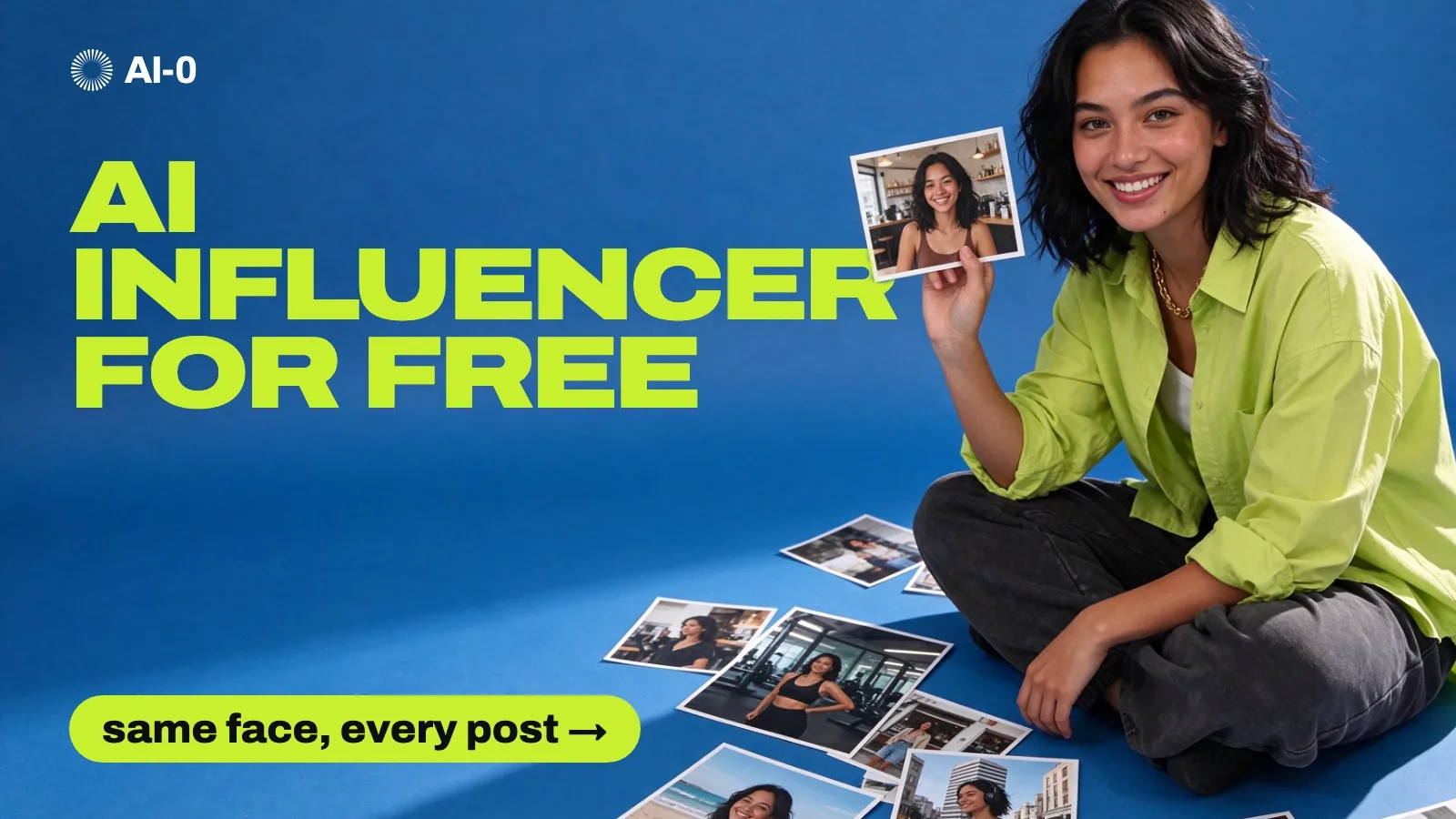
How to create an AI influencer for free, with the same face in every post
By AI-0 editorial team
On this page
To create an AI influencer for free, write a short character sheet, generate one realistic master portrait, and then use that portrait as a reference image every time you make a new scene. Turn the best stills into short videos with an image-to-video model, and post them with the platform's AI label turned on. In AI-0 you can do every step with credits from optional ads.
The third step, keeping the face the same, is where most AI influencer accounts fall apart. By the fifth post, the woman who looked great in a café has a different nose at the gym and a new jawline on the beach, and followers notice before you do.
We ran into this ourselves while building a recurring character for AI-0's Instagram. This guide covers the method we use now, the prompts we kept, and the things that went wrong along the way. AI-0 is on the App Store and Google Play.
What is an AI influencer?
An AI influencer is a social media persona whose photos and videos are generated by AI instead of being shot with a real person. Like a human creator, the character has a fixed look, a name, a niche and a posting style. Lil Miquela, a CGI character, made the idea famous in 2016. Aitana López, run by an agency in Barcelona, is a more recent example made with image models. Most accounts today are run by one person with an image app and a posting schedule.
What you need
| Step | What you make | Where |
|---|---|---|
| Character sheet | One paragraph | Any notes app |
| Master portrait | One photo you will reuse | An AI-0 image model such as GPT Image 2.5 or Seedream 5.5 |
| Scene photos | As many as you post | The same model, with the master portrait as a reference image |
| Videos | Short clips for Reels and TikTok | An AI-0 video model such as Wan 3.0 Prime or MiniMax H3 MAX |
| Posting | Your account | Instagram and TikTok, with the AI label on |
New AI-0 accounts start with 15 credits, and each optional ad adds 5 more. A video costs many times more than a still image, so do your experimenting on photos and only animate the ones you are sure about. The AI-0 credits guide has the details.
Step 1: Write a character sheet before you generate anything
Every prompt you write later copies from this sheet, word for word. If the description changes between prompts, the face changes with it. Write down:
- age and where she or he is from
- three features that belong to this face and no other, such as a gap between the front teeth, a beauty mark or one uneven eyebrow
- hair length and colour, and how it usually falls
- one item they wear in most posts, so people recognise them at thumbnail size
- the niche: what the account posts about, and why a stranger would follow it
Here is the sheet for the character we will use as an example:
Lina, 23, from Lisbon. Wide-set hazel eyes, a beauty mark under her left eye, a small gap between her front teeth. Shoulder-length wavy black hair, usually tucked behind one ear. Always wears a thin gold chain. Posts cheap weekend city trips and the outfits she packs for them.
The three features matter more than anything else on the list. Image models drift toward one average pretty face, and small, slightly odd details keep pulling each new picture back to the same person. They are also what followers remember.
Step 2: Generate the master portrait
Every later image copies from this one picture, so it is where your credits are best spent. In AI-0, tap Image, choose a photoreal model (we used GPT Image 2.5 and Seedream 5.5), and build the prompt in this order:
- The kind of photo: "Photorealistic real photograph, straight from the camera, no retouching."
- The person: paste the character sheet.
- The skin, written as things you can see: "visible pores on the nose and cheeks, peach fuzz, a faint sheen only on the nose tip, matte everywhere else."
- The light and camera: "soft window light from the left, 85mm lens, plain light-grey wall."
- The ending: "Not the average AI face, not symmetrical. No text, no logos."
A full prompt for Lina looks like this:
Photorealistic real photograph, straight from the camera, no retouching. A 23-year-old woman from Lisbon with wide-set hazel eyes, a beauty mark under her left eye and a small gap between her front teeth. Shoulder-length wavy black hair tucked behind one ear, a thin gold chain, a plain white T-shirt. She looks straight into the lens with a small closed-mouth smile. Visible pores on the nose and cheeks, peach fuzz, a faint sheen only on the nose tip, matte everywhere else. Soft window light from the left, 85mm lens, plain light-grey wall. Head and shoulders, both ears visible. Not the average AI face, not symmetrical. No text, no logos.
Leave out "beautiful", "perfect", "flawless", "8K" and "hyperrealistic". In our tests those words pushed the model toward glossy, poreless skin, which people now read as AI at a glance.
Make two or three takes and zoom each one to 100%. Check the teeth, the ears, the hairline, and whether both earrings match. Pick a calm, front-facing take with nothing covering the face; it's easier to reuse.
Step 3: Keep the same face in every new scene
Open the same image model, add the master portrait as a reference image, and describe only what changes: the place, the outfit, the action and the light. Don't describe her face again, because the reference already carries it. Do repeat the three features in one short line, which stops the slow drift.
Same woman as in the reference photo, with the same face, beauty mark, gap in her teeth and wavy black hair. She sits at a sunny café table in Lisbon holding an espresso, laughing at someone off camera. Phone photo, late-morning sun, shallow depth of field.
At the time of writing, GPT Image 2.5 Flare accepts up to 8 reference images in AI-0, FLUX 3 Klein up to 6, and Seedream 5.5 up to 10. One good portrait is enough to start.
What we learned the hard way
The reference photo's clothes and jewellery leak into the new image. In one of our tests, the dark T-shirt and small hoop earrings from the face photo replaced the outfit we had asked for in the last half second of a video. Either crop the reference down to face and hair, or dress the master portrait in the item you actually want repeated (for Lina, the gold chain).
Match the light. A face shot in soft window light sits naturally in a scene with soft light. Put the same face in hard midday sun and it starts to look pasted in.
Compare faces side by side before you post. Put the new image next to the master at the same size and look at the nose, the eyes and the mouth. A face can look right on its own and still be clearly a different person next to the original. Anything that fails this check goes in the bin, however good the rest of the picture is.
Step 4: Turn the best photos into video
Reels and TikTok are video feeds, so an account that only posts stills is playing with one hand. In AI-0, tap Video, pick an image-to-video model, upload one approved photo, and describe a single movement:
She turns from the window toward the camera and smiles. Slow push-in. Her hair moves slightly. Keep her face stable.
Two things to know before you spend credits:
- AI video tends to soften expressions. A wide-eyed, shocked reaction in our source came back as a mild, calm look. If the expression matters, say how strong it is: "wide eyes, raised eyebrows, mouth open in surprise."
- Short clips are easier to keep on model. Start with about five seconds and one action. A clip where she walks, turns, talks and changes outfit gives the model four chances to lose her face.
Wan 3.0 Prime can take image, video and audio references, which helps when you want her to copy a specific movement. MiniMax H3 MAX adds native sound, for clips where she talks. Our image-to-video guide covers motion prompts in more depth.
Step 5: Post it, and label it as AI
Instagram and TikTok both expect realistic AI-generated content to be labelled. On TikTok, switch on "AI-generated content" under More options before you post. On Instagram, turn on the AI label when you share. Putting "AI character" in the bio as well saves you a lot of arguments in the comments.
Two hard rules. Never use a real person's photo as the reference without their permission, and don't build a character that looks like a celebrity. Both break platform rules and can get you into legal trouble.
Can you make money with an AI influencer?
Some people do, mostly through brand posts, affiliate links and selling short ad videos made with the character. It takes what a human account takes: months of regular posting in one niche, with a character people want to come back to. No app can promise income from it, and we won't either.
If you take paid work, the disclosure rules are the same as for any creator. In the US, the FTC's Endorsement Guides were updated in 2023 to name virtual influencers explicitly, so a sponsored post from an AI character needs a clear #ad.
Mistakes that give an AI influencer away
- Airbrushed skin with no pores, especially across the forehead and cheeks.
- A new hairstyle or hair colour every few posts.
- Fingers wrapped around cups, phones and bag straps. Zoom in on every hand.
- Garbled text in the background, such as shop signs, menus and T-shirt prints. Choose plain backgrounds or crop the text out.
- The same pose and the same smile in every post. Change the moment instead: mid-laugh, looking away, halfway through a bite.
Frequently asked questions
Can I create an AI influencer for free?
Yes. In AI-0 you earn credits by watching optional ads and spend them on image and video models. New accounts start with 15 credits and each ad adds 5. There is no subscription, but video uses far more credits than images.
How do I keep my AI influencer's face consistent?
Generate one master portrait, then add it as a reference image to every new generation and describe only what changes, such as the place, outfit and light. Compare each new image with the master side by side and throw away any that drift.
What is the best AI influencer generator?
Any photoreal image model that accepts reference images will work. In AI-0, GPT Image 2.5, Seedream 5.5 and FLUX 3 Klein all take reference images, and Wan 3.0 Prime or MiniMax H3 MAX can animate the results.
Do I have to say my influencer is AI?
Yes. Instagram and TikTok both ask you to label realistic AI-generated content, and sponsored posts need the same ad disclosure as any other creator's.
What should an AI influencer prompt include?
The type of photo, the character's age and three distinctive features, the hair, the skin described as visible details, the light, the camera, and a line asking for no text or logos. Leave out words such as "perfect" and "8K", which push toward plastic-looking skin.
How long does it take to make an AI influencer?
A master portrait and a first week of photos can take an afternoon. Building an audience takes months of regular posting, the same as for a human creator.
Start with the sheet
Write the paragraph about your character before you open any app. With the sheet and one good master portrait, every other step is mostly repetition. AI-0 is free to download on the App Store and Google Play, and the free credits guide explains how to earn more as you go.
Create on your phone with AI-0
Watch a short ad when you need credits, choose a video or image model, and create without a monthly subscription.