AI album cover generator: make free cover art that passes the distributor check
By AI-0 editorial team
On this page
An AI album cover generator turns a written description into square cover art for an album, single or podcast. In AI-0 you can make one for free with credits from optional ads: GPT Image 2.5 when the title and artist name should be part of the image, and Seedream 5.5 for photoreal looks. Export a 3000 x 3000 pixel square, the size most streaming releases are built around.
The picture is rarely the hard part. Covers get sent back, or ignored, for duller reasons: the name on the art doesn't match the release details, the title is unreadable at the size people see it, or the file is far smaller than the distributor asked for. Most generator pages skip all of that.
AI-0 is on the App Store and Google Play.
What size should an album cover be?
Make it square and 3000 x 3000 pixels, in RGB colour, as a JPG or PNG. The details at the time of writing (November 2026):
| Where | What they ask for | Worth knowing |
|---|---|---|
| Spotify releases | Square art from your distributor, with 3000 x 3000 the usual target | Spotify takes release art through your distributor, not straight from you |
| Apple Music | Square art from your distributor, with 3000 x 3000 the usual target | Avoid blurry or stretched art, which stores can reject |
| TuneCore | Square, at least 1600 x 1600, RGB | Text on the art must match the artist name and title |
| Apple Podcasts | 3000 x 3000 PNG or JPG, 1400 to 3000 accepted by RSS | No transparency, title readable at small sizes |
| Spotify Canvas | A 3 to 8 second vertical 9:16 loop, 720 to 1080 pixels tall | Plays instead of the cover on the Now Playing screen |
We couldn't find a Spotify page with exact pixel limits for release art, and other guides disagree on the minimum, so check your distributor's upload page before you export.
Two more things. Podcast covers can't be transparent, so leave GPT Image 2.5's background setting on Opaque or Auto. And make the art square from the start, because cropping 16:9 to 1:1 throws away most of the picture.
GPT Image 2.5 vs Seedream 5.5 for album covers
The settings below are what AI-0 offers at the time of writing.
| GPT Image 2.5 (Flare or Sunburst) | Seedream 5.5 | |
|---|---|---|
| Best at | Exact words in the image, graphic design, illustration | Photoreal people, places and textures |
| Resolutions | 1K, 2K or 4K | 1K, 1.5K or 2K |
| Reaches 3000 px without upscaling | At 4K, but check the file | No, so upscale |
| We'd pick it for | Covers with the title on them, type-led designs | Photo covers, with the text added afterwards |
Flare is the faster GPT Image 2.5 version and Sunburst the higher-quality one, so we'd rough out ideas on Flare and make the final on Sunburst. FLUX 3 Klein is there too if you want another style.
How to make an album cover for free in AI-0
- Install AI-0. New accounts start with 15 credits.
- On the Home screen, tap Earn Credits if you need more. Each optional ad adds 5 credits, up to 10 ads every 10 minutes.
- Go back to Home, choose Image, tap the model row and pick GPT Image 2.5 or Seedream 5.5.
- Set the aspect ratio to 1:1 and pick a resolution.
- Write the prompt (genre examples below). Add a reference image if you want to keep a face or a colour palette.
- Check the credit cost on the Generate button and tap it.
- Open your history to view the result and download it.
Higher resolutions cost more, so try ideas at 1K first.
How to get the title and artist name into the image
There are two ways.
Option 1: let the model write it
GPT Image 2.5 handles short text well. Put the words in quotes, say where they go and what the letters look like, and keep it to the title and artist name:
Text at the top in a tall condensed sans-serif, white: "NIGHT SWIMMING". Small text at the bottom: "THE LOW TIDES". Spelled exactly as written. No other text anywhere.
Then check every letter. On TuneCore the text must match the names you enter for the release, so "The Low Tides" on the art and "Low Tides" in the form is a problem.
Option 2: add the text yourself
Generate the picture with "no text, no letters, no logos", leave space for the title, and add the words in any photo editor. It's the safer route for photo covers and long titles, but leaving space takes a firm instruction. When we made our own blog covers with Seedream 5.5, asking for the subject "further back" didn't leave enough room. What worked was "the top 45% empty plain wall". For a cover, try "the top 40% of the frame is empty sky".
The thumbnail test
Most people will see your cover tiny, in a playlist or on a lock screen. Shrink it to about the size of a fingernail on your screen and look from arm's length.
- Can you tell what it is? One big shape or face reads better than a busy scene.
- Can you read the title? If not, make it bigger or drop it.
- Does it stand out next to a few covers from your genre?
- Does it still work in greyscale?
If it fails, simplify the prompt rather than adding to it.
Album cover prompts by genre
These are starting points for a 1:1 image. We haven't run them as a set, so expect to adjust. The names and titles are made up.
Lo-fi or chillhop (GPT Image 2.5)
Soft painted illustration of a bedroom desk by a rainy window at dusk, a cat asleep on a stack of records, warm lamp light, muted teal and amber, grainy paper texture. Rounded hand-lettered title at the top: "SLOW SUNDAYS". Small text at the bottom: "MIRA KO". Spelled exactly as written. No other text.
Hip-hop or trap (Seedream 5.5)
Photorealistic real photograph, on-camera flash at night. A young man in a silver puffer jacket sits on the bonnet of a lime-green vintage car in an empty parking garage, looking down into the lens. 24mm lens, hard shadows, saturated colour. The top 40% of the frame is empty concrete ceiling. No text, no logos.
Indie folk (Seedream 5.5)
Photorealistic real photograph on 35mm film, golden-hour light. A woman in a faded yellow dress walks away through a field of tall wildflowers, one hand trailing through the grass. Slight film grain, warm colours. The top 45% of the frame is empty pale sky. No text, no logos.
Synthwave or 80s (GPT Image 2.5)
Retro 1980s airbrush poster: a magenta and orange sunset over a neon grid road running to the horizon, palm silhouettes on both sides. Chrome title with a pink outline across the middle: "NIGHT DRIVE". Small white text at the bottom: "VEGA RUN". Spelled exactly as written.
Techno or electronic (GPT Image 2.5)
Flat Swiss-style graphic design. One bright orange circle off-centre on a deep cobalt background, crossed by a thin white diagonal line. Lots of empty space. Small sans-serif text in the bottom left: "PULSE 04" and below it "K. VARGA". Nothing else.
Metal (GPT Image 2.5)
Engraving-style illustration of a stag skull wrapped in thorny vines, black ink on aged cream paper, symmetrical, crosshatched shading. Jagged blackletter band name across the top: "HOLLOW CROWN". Spelled exactly as written. No other text.
R&B or pop (Seedream 5.5)
Photorealistic real photograph, soft window light from the left, 85mm lens. Close-up of a 24-year-old woman with short bleached hair, a small gap between her front teeth and gold hoops, chin on her hand, looking into the lens. Lilac satin backdrop. Visible pores on the nose and cheeks, peach fuzz, a faint sheen only on the nose tip and lower lip. Not the average AI face. No text, no logos.
Podcast (GPT Image 2.5)
Bold flat illustration with thick black outlines: two coffee cups facing each other like speech bubbles on a mustard-yellow background. Big heavy title across the top, readable when small: "SECOND CUP". Smaller line underneath: "a podcast about starting over". Spelled exactly as written.
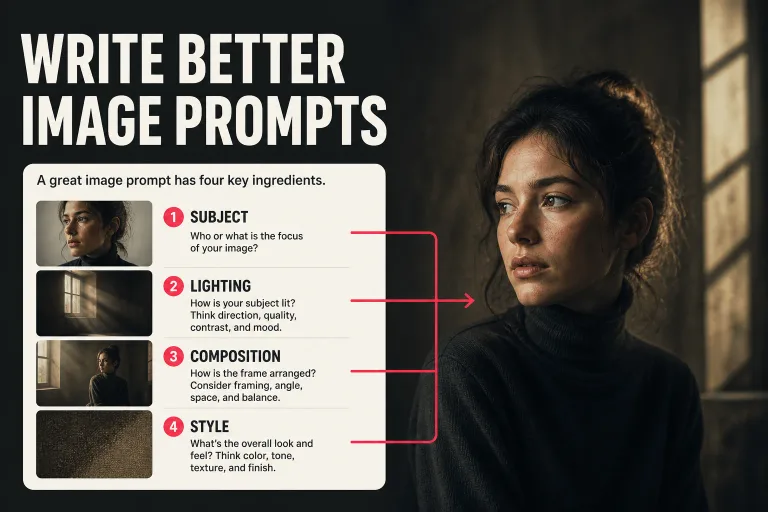
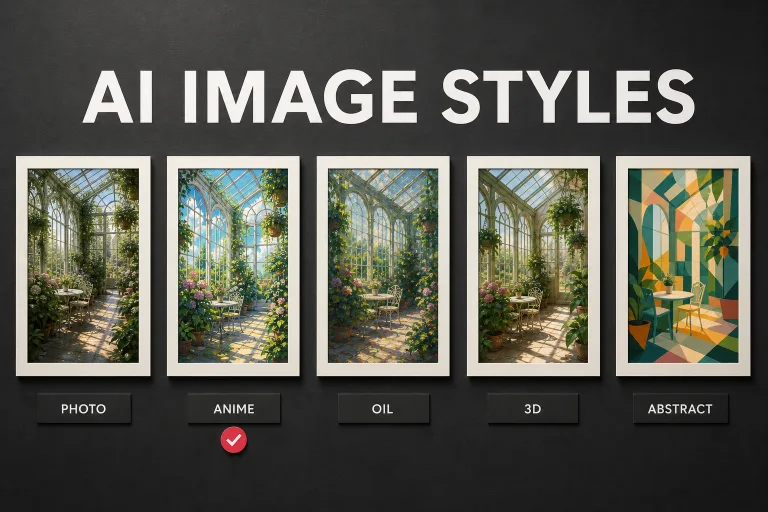
The R&B prompt follows our recipe for realistic people. Leave out "perfect", "flawless", "8K" and "hyperrealistic", which in our tests pushed skin toward plastic. Our AI image prompts guide and image styles guide go further.
Do you need to upscale to 3000 pixels?
Check the downloaded file's pixel size first. On iPhone, swipe up on the photo in Photos; on Android, open the image details.
- GPT Image 2.5 at 4K should already be big enough. If both sides are 3000 pixels or more, you only need to resize.
- GPT Image 2.5 at 1K or 2K, and Seedream 5.5 at any setting, come out under 3000 pixels on a square. As a guide, a 16:9 blog cover we made with Seedream 5.5 at 2K came back at 2816 x 1584.
For anything under 3000, use the Upscale V5 tool in AI-0 (2X, 3X or 4X at the time of writing). A 2X upscale takes a roughly 2,000 pixel square well past 3000, and then you resize to exactly 3000 x 3000. If you add text by hand, do it after upscaling so the letters stay sharp.
Can you use AI-generated art for an album cover?
Generally yes, with care. The rules come from your distributor, and the main ones are similar everywhere:
- You must have the rights to everything on the cover: no other artist's photo, celebrity face, brand logo or copy of a famous album.
- Keep text to the artist name and release title. TuneCore also bans URLs, prices, store logos and words such as "new" or "exclusive".
- Some distributors ask about AI use at upload. Answer honestly, and read their current policy, since these rules change often.
Copyright is a separate question. The US Copyright Office's report on AI and copyrightability, published on January 29, 2025, says prompts alone don't make you the author of a model's output, though your own additions, such as typography and real edits, can be protected. This isn't legal advice, and other countries have their own rules.
Frequently asked questions
What size should an album cover be?
Make it a square 3000 x 3000 pixel image in RGB, saved as JPG or PNG. Spotify and Apple Music both take release art through your distributor, so check your distributor's upload rules for the exact minimum.
Can I use AI-generated art for my album cover?
Usually yes, as long as you have the rights to everything in it and it doesn't copy another artist, a celebrity or a brand. Check your distributor's current AI and artwork rules before you upload, because they differ between services.
Can AI put text on an album cover?
Yes. GPT Image 2.5 handles short titles and artist names well if you put the words in quotes and ask for them to be spelled exactly. Check every letter before you upload, or generate the art without text and add the words yourself.
What is the best free AI album cover generator?
In AI-0, we'd use GPT Image 2.5 for covers with text on them and Seedream 5.5 for photoreal ones. Both run on free credits from optional ads, with no subscription required.
Can I make a podcast cover with an AI album cover generator?
Yes. The process is the same, but Apple Podcasts asks for a 3000 x 3000 PNG or JPG with no transparency, and the show title has to stay readable at small sizes. Bold, simple designs with a big title tend to work best.
Make a cover tonight
Write down your exact title and artist name first, as they appear in your release details. Make a few square versions at 1K, run the thumbnail test, and go full size only for the winner. AI-0 is free on the App Store and Google Play, and the free credits guide explains how to earn more as you go.
Create on your phone with AI-0
Watch a short ad when you need credits, choose a video or image model, and create without a monthly subscription.